> ## Documentation Index
> Fetch the complete documentation index at: https://typebot-operators-authentication-type-branch.mintlify.site/llms.txt
> Use this file to discover all available pages before exploring further.

# Text input

The Text input block allows you to ask your user for a text answer.

## Short text input

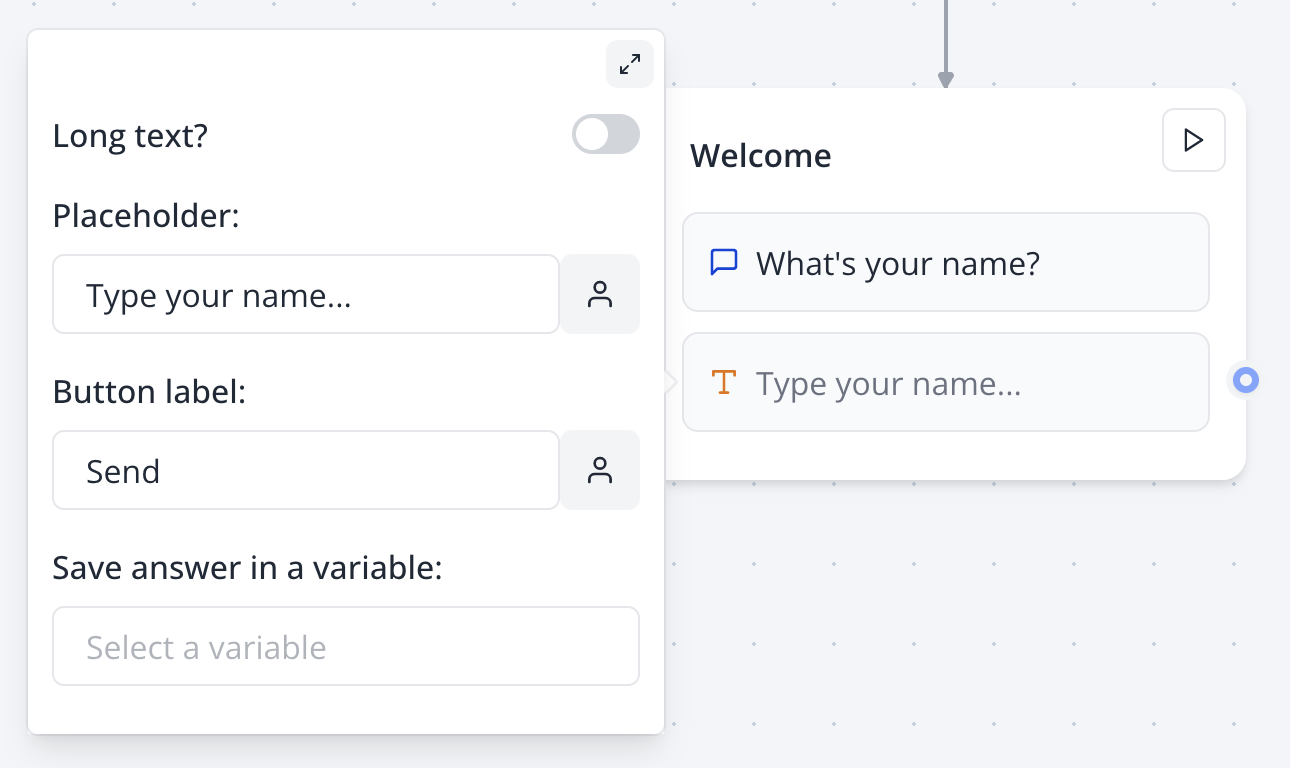
By default the text input is expecting a short answer:
<Tabs>
  <Tab title="Flow">
    <Frame>
      <img src="https://mintlify.s3-us-west-1.amazonaws.com/typebot-operators-authentication-type-branch/images/blocks/inputs/short-text-flow.png" alt="Text input" className="rounded-lg" />
    </Frame>
  </Tab>

  <Tab title="Bot">
    <Frame>
      <img src="https://mintlify.s3-us-west-1.amazonaws.com/typebot-operators-authentication-type-branch/images/blocks/inputs/short-text-bot.png" alt="Text input" className="rounded-lg" />
    </Frame>
  </Tab>
</Tabs>

## Long text input

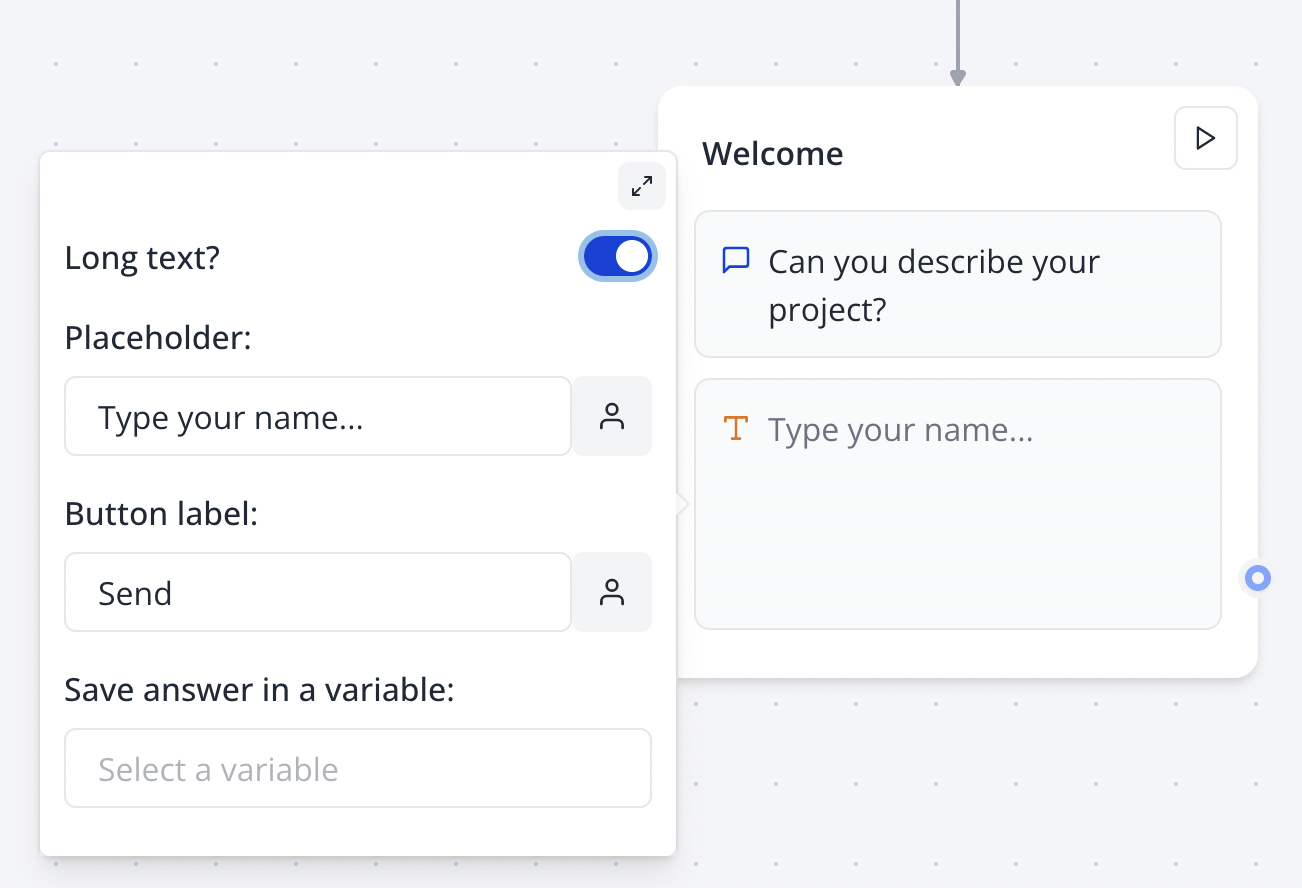
You can also ask your user for a longer text answer by enabling it in the input options:
<Tabs>
  <Tab title="Flow">
    <Frame>
      <img src="https://mintlify.s3-us-west-1.amazonaws.com/typebot-operators-authentication-type-branch/images/blocks/inputs/long-text-flow.png" alt="Long text input flow" className="rounded-lg" />
    </Frame>
  </Tab>

  <Tab title="Bot">
    <img src="https://mintlify.s3-us-west-1.amazonaws.com/typebot-operators-authentication-type-branch/images/blocks/inputs/long-text-bot.png" alt="Long text input bot" className="rounded-lg" />
  </Tab>
</Tabs>
