> ## Documentation Index
> Fetch the complete documentation index at: https://typebot-operators-authentication-type-branch.mintlify.site/llms.txt
> Use this file to discover all available pages before exploring further.
# Anthropic
There is an ongoing issue with Anthropic block streaming capabilities. We are
working on a fix and will update this page once the issue is resolved.
## Create Message
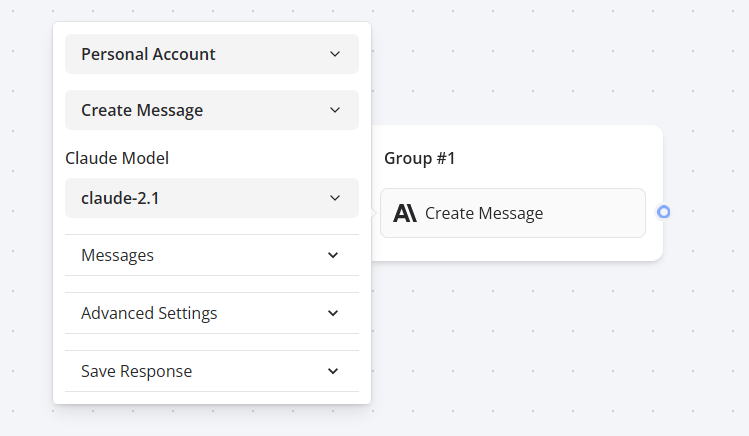
With the Anthropic block, you can create chat messages based on your user queries and display the answer back to your typebot using Claude AI.
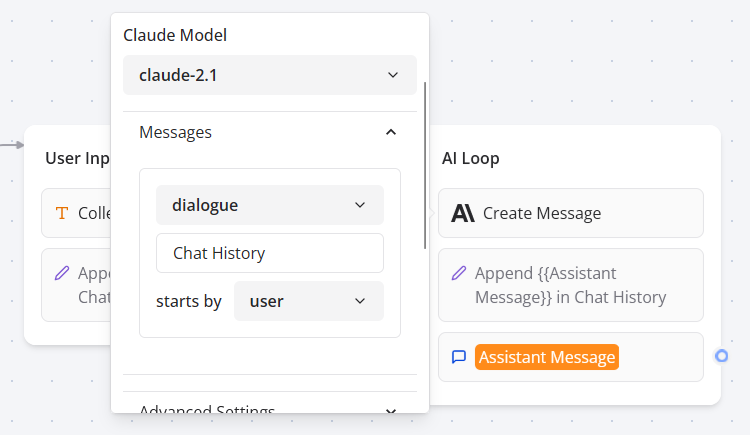
 Similarly to the OpenAI block, this integration comes with a convenient message type called **Dialogue**. It allows you to easily pass a sequence of saved assistant / user messages history to Claude AI:
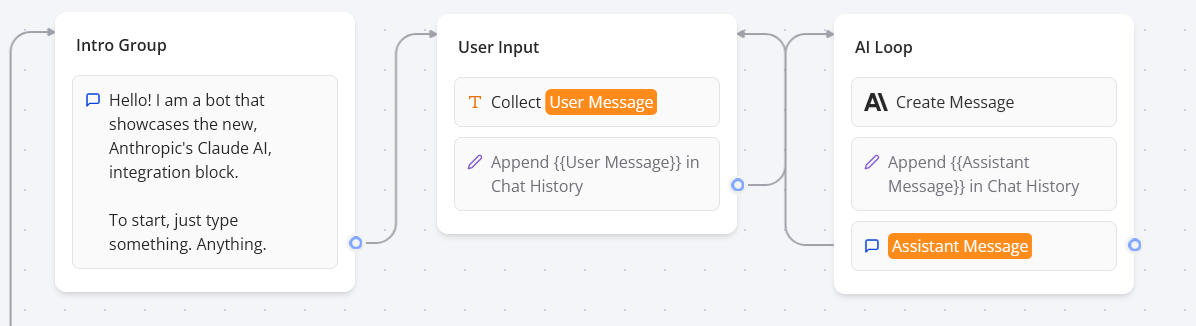 Then you can give the Claude AI block access to this sequence of messages:
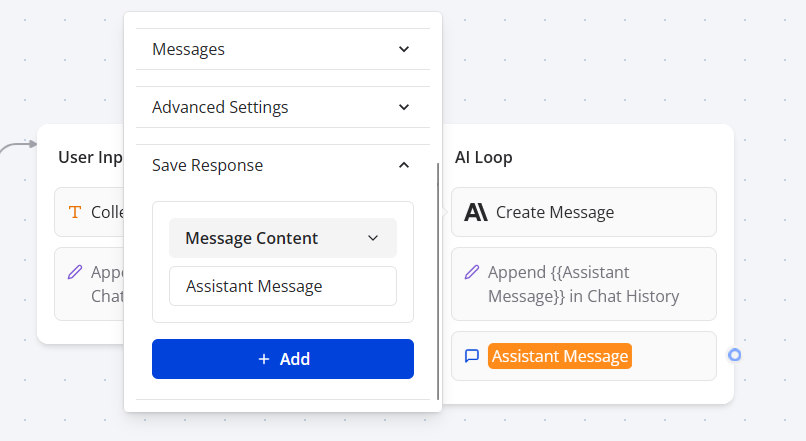
 Finally, save the response of the assistant to a variable in order to append it in the chat history and also display it on your typebot.